EzImage is a full fledged Image Editor/Processor with some very powerful features built in. EzImage can help you organize & scan your stamp & coin images now! EzImage will save you a lot of time. With Auto-separate, Auto-rotate, Auto-crop, it will reduce your image processing time significantly.
It includes a complete image processing lab on your PC. Our thumbnail browser allows you to display groups of images and organize them and select them for editing in EzImage. EzImage also has powerful File Conversion utilities built in. Auto-separate tool is a must have feature.
Are your stamp images in disarray? Do you know where your images are? Tired of wasting time trying to find your stamp images? Are you spending too much time scanning instead of selling? Need to keep track of your images?
With EzImage, the time intensive chore of scanning, cropping, rotating your images is made easy. Let EzImage help you Organize and Scan your images. It’s easy & it’s fast. Spend more time selling & making money! EzImage is a program no stamp or coin enthusiast should be without. If you value your time, then EzImage is for you. Dealers, collectors & eBay sellers worldwide use EzImage to process their Stamps & Coins for their websites, eBay & image databases.
Amos Media/SCOTT
Bill Longley Auctions
Brookman Stamp Company
Century Stamps & Coins
Comuterized Digitising Inc.
E.S.J. Van Dam Ltd.
Eastern Auctions Ltd.
Eric Jackson Revenue Stamps
Germania GMBH
International Stamps
Jay Smith & Associate
Lakeside Stamps
Michael E. Aldrich Inc.
Museum of Natural History
National Duck Stamp Collectors Society
Phoenix Auctions
PostRoad Co.
Premier Postal Auctions
PSE (Professional Stamp Experts)
Rare Stamp Exchange
Sam Houston Duck Co.
Saskatoon Stamp Centre
Schwanenberger Verlag GMBH (Michel)
Shreves Philatelic Galleries, Inc.
Smithsonian Institution
Subways Stamp Shop
The Philatelic Foundation
UN Postal Services
US National Archives
USID/Stampfinder.com
eBay
-
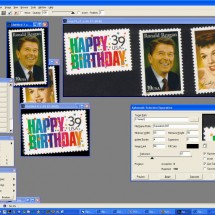
- Auto-separate of images
-
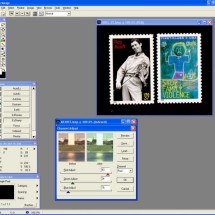
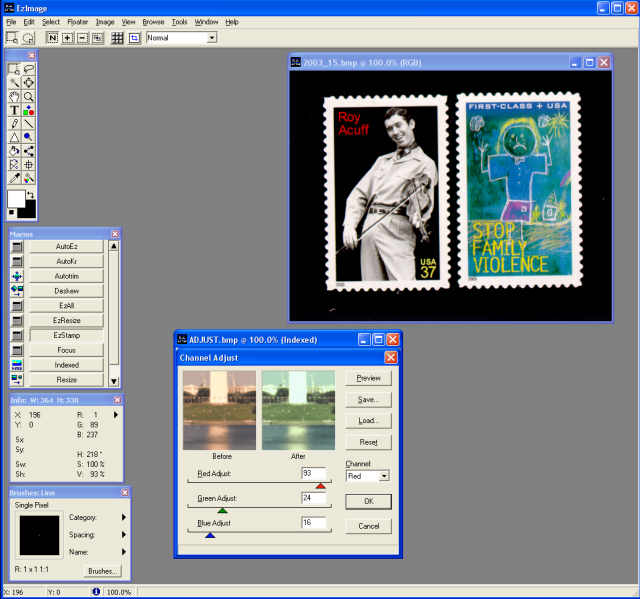
- Color correction
-
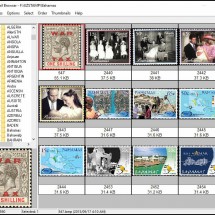
- Thumbnail Viewer

Features
- With EzImage, you can scan many stamps at once & then with one click, automatically separate them into individual images. (Pro version only). You must scan against a contrasting BLACK background for images to properly separate.
- Crop, color correct, retouch, add special effects, use custom color palettes and use the dozens of tools we provide to make your images look their best.
- Give all your image processing projects that professional look & feel .
- EzImage supports all TWAIN compliant scanners.
- File conversion utilities (supports almost all image file formats)
- Specifically designed for stamps & coins to save you incredible amounts of TIME processing images
- Starting at $64.99 STD edition
- View more info
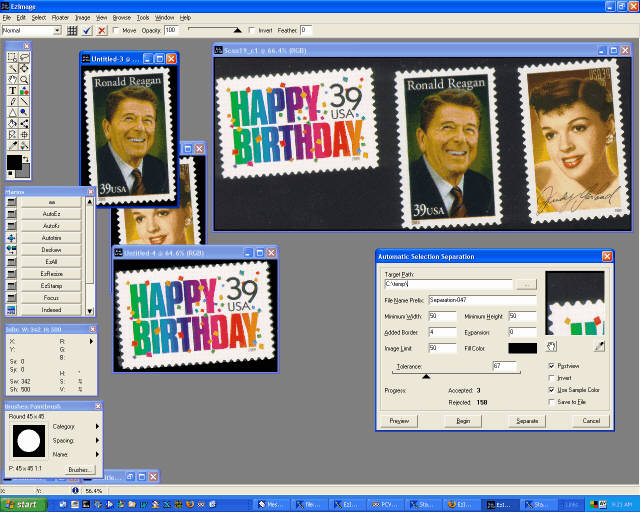
Screenshots
-
- Auto-separate of images
-
- Color correction
-
- Thumbnail Viewer
Testimonials What are people saying about EzImage?
Marios,
I wanted to provide you some feedback on the AlbumGen software program. I have used this sophisticated software to not only create what a collector would call standard stamp album pages, but also specialized pages. My specialized pages are designed to display, highlight, and explain unique stamp features, such as plate errors, forgeries, and color mis-registration, among other features. In many cases there will be just a single stamp on the page. I will place the stamp on an album page and next to it add an enlarged stamp image with arrows pointing to hard to see unique and defining features. I can then add text to the album page that explains what these special features are in detail. I often also sometimes add text discussing relevant aspects of the stamp, such as why the stamp was created, how many were printed, the name of the printer, and so on. I do this also with AlbumGen to show why a valuable stamp is the real thing, and not an inexpensive forgery. This capability makes looking at the stamp displayed that much more enjoyable and informative. I have used this approach to list and sell a number of unusual stamps in my collection. I recently for sold an $0.80 catalogue value Australian stamp for a stunning $45 based in great part on an AlbumGen page that allowed me to display and highlight the stamp’s unique features. And it was sold from the US to a discerning collector in Australia. AlbumGen has given me the opportunity to appropriately honor stamps in my collection. Thank you for this tremendous software.
Sewall H., USA
Sewall H., USA
I had an opportunity to use EZImage this week and I’m happy beyond expectation with it.
Gustavo G., CA, USA
I have Photoshop and perhaps I could do similar things with it but after seeing your video on separating, de-skewing and clipping the images I knew I had to include it in my order without even trying it first! EZImage has features designed exclusively for stamps workflows and that’s a big differentiator from other image editors. It has been a huge time saver and considering I have thousands of stamps to scan that I have inherited I’m now much more optimistic I’ll be able to appraise my new collection with the help of EZImage.Thank you for helping me getting started. I can’t wait to get my other SoftPro products in the mail.
I love this program!!! It has saved me hundreds of hours of photo editing.
Gordon S., Canada
I am a long time EZ Grader user and really appreciate the accuracy and ease of use of this product. Recently I purchased EZ Image after trying out the product on a trial basis. While EZ Grader is a tool that makes you money when you buy stamps EZ Image is a tool that makes you money when you are ready to sell. Its ability to process multiple stamps with one scan is a huge time saver. After the scan, being able to separate and straighten the images automatically removes most of the tedium from the selling process. One final fact – I am not a power user of computers and I really appreciate the quick response to my questions. Thanks SoftPRO!
Michael McGreevy, USA
I just had to email you and tell you how wonderful EZ Image is to use. I have never come across a program that was so user friendly when it comes to stamps. My favorite feature is the Stitch tool. What a time saver!!! This program has made my job so much easier and quicker. THANK YOU!!! Michelle L. McDonald, Office Manager, Charles G. Firby – Auctions
Michelle M., Firby Auctions, Canada
Support
Search articles
Support videos
Download EzImage
Demo Version |
|---|
| Fully Functional for 30 days to try before you buy |
| Auto-Separate, Auto-Rotate & Auto Crop (limited uses) |
| Stitch multiple images into one image (limited use) |
| Image Compare Function, Color Correct |
| Screen Capture, File Conversions (bmp to jpg..) |
| Unlimited Tech Support during trial if needed |
| Image Capture Tools, Thumbnail Browser & Much more |
| Download EzImage Demo |
Full Version |
|---|
| Unlimited use & Fully Functional |
| Auto-Separate, Auto-Rotate & Auto Crop (unlimited use) |
| Stitch multiple images into one image (unlimited use) |
| Image Compare Function, Color Correct |
| Screen Capture, File Conversions (bmp to jpg..) |
| Unlimited Lifetime Support if needed |
| Image Capture Tools, Thumbnail Browser & Much more |
| Buy EzImage Now |