How to Scan stamps in an album
One of the most important things you can do when selling a stamp is to properly prepare the images to present to potential customers. It is paramount to have clear, sharp images against a black background so as to properly show the stamps.
One common question we receive is how to scan stamps that are mounted on white or cream colored album pages. Most collectors are hesitant to remove hinged stamps from an album page for fear of damaging them. Unless great care & lots of practice has been undertaken, you can easily tear or damage the stamps. We have previously made a video demonstrating a method of safely removing hinges from a stamp Stamp Hinge Removal Tips
Many hinges are NOT peelable. The true peelable hinges have not been manufactured for over 30 years at least & there are NO peelable hinges being made today.
So how does one scan a stamp on a white background & prepare a great image? A simple method is explained below.
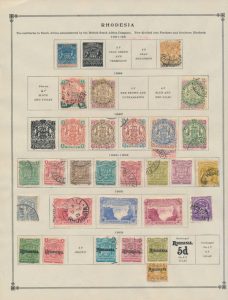
Stamps on Album Page
Here is a scan of a page of stamps from one of my collections that I recently purchased. I need to scan these stamps for inclusion into EzStamp (our stamp collecting software). Since I do not want to remove the stamps from the album page, here is what I do.
I take a top loading black plastic mount & separate the clear part from it by cutting along the seam where the black & clear plastic halves are joined.
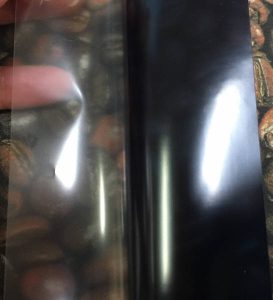
This leaves me with a very nice thin black piece of plastic that I can slide underneath the stamp I want to scan.
Here is how it looks before I slide them under the stamp.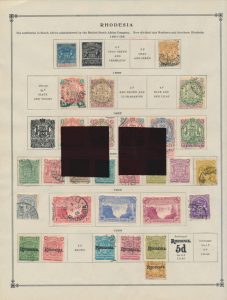
The following image shows the stamp I want to scan with the black plastic pieces inserted under the stamp. 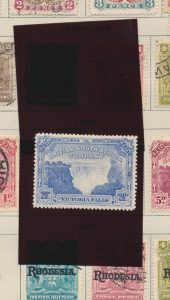
I then use EzImage (Our image processing software) to clean up the background, crop & rotate the image & use it for EzStamp or any other purpose I want.
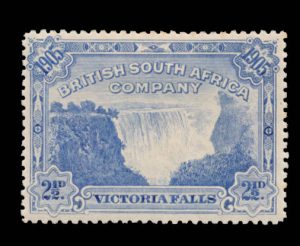
Similarly, I have done a second stamp on the page.
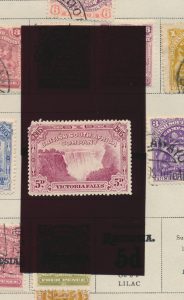
One benefit that can easily be seen by using this method, is that it will very quickly show you many faults that are hard to detect while the stamp is against a white background.
The second stamp clearly has the top left corner missing; something that was not readily seen while on the white page.
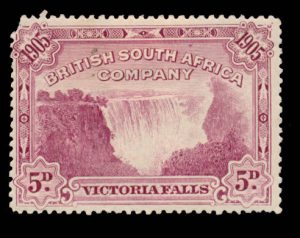 When I purchased this lot, I could not readily see that missing corner.
Had I seen it, I would have likely paid less for the lot. Lesson learned! We hope this tip is useful for you. Enjoy