Stamp Album Software & Page Layout Program
- Automatically add page numbers & other Header/Footer details to you pages. Add Titles , subtitles – any text , anywhere you like.
- Import Data & Images Directly from EzStamp : The best selling & most comprehensive stamp inventory software.
- If you have EzStamp™ , with one click , you can import the data & image & it will be placed on the page for you with the correct size frame around it plus the ability to print the data (catalog #’s anywhere in the frame including on the image – as many stamp albums do)
- This is a Huge Time Saver – no having to measure each stamp manually – For the USA & CANADA & many other countries , it’s already done. We are working on others & when they are ready, EzStamp & AlbumGen users will have access to them.
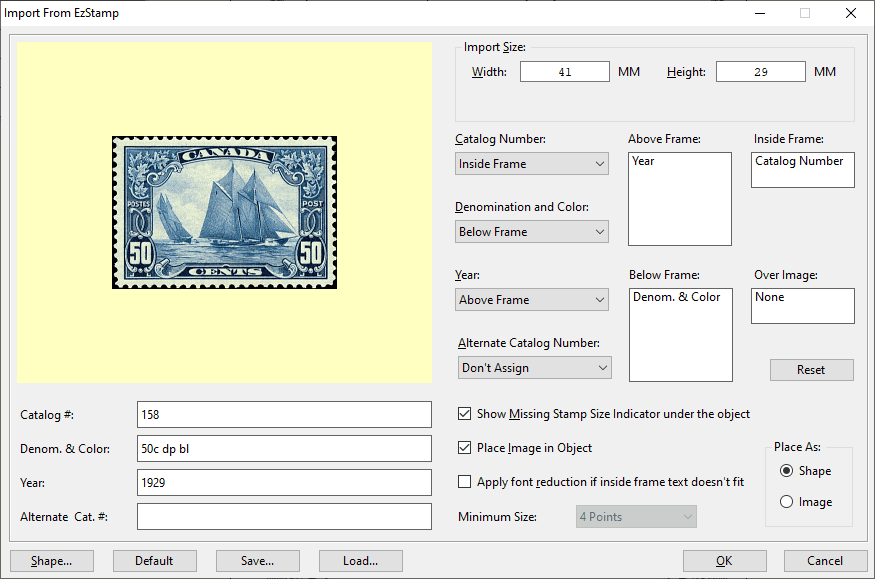
Stamp Album Software – Import From EzStamp
- Easily Create shapes , lines & text anywhere on the page. Our Paragraph tool will let you place large sections of text on the page & have it come out just the way you want it
to
Stamp Album Software – Shapes
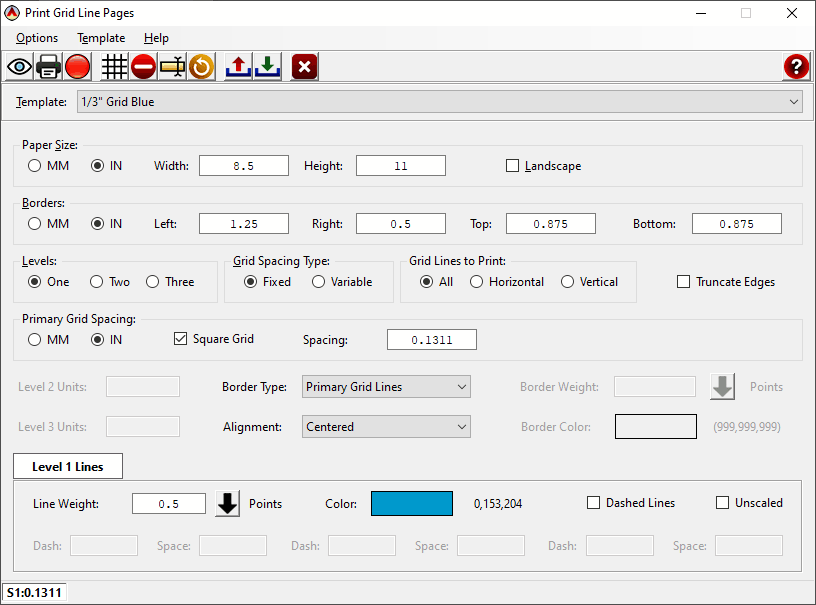
- Our New Grid Print option will allow you to print Quadrille pages & even have custom borders on them. No more having to purchase quadrille pages. AlbumGen can print them for you & save you even more money for your stamps! With our grid / quadrille print option, you can save yourself a bundle. You can change the colour of the grid, the line style (dashed, solid, thick etc) & the spacing of the grid. You have complete control over the Quadrille page you create to match any album type you choose.
AlbumGen can print them for you & save you even more money for your stamps!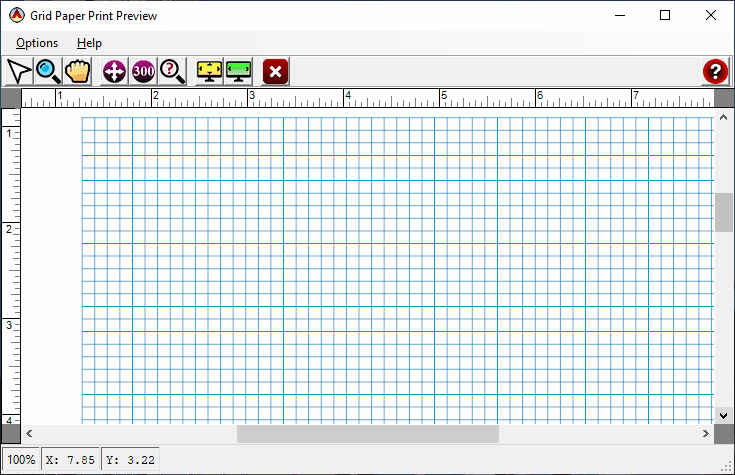
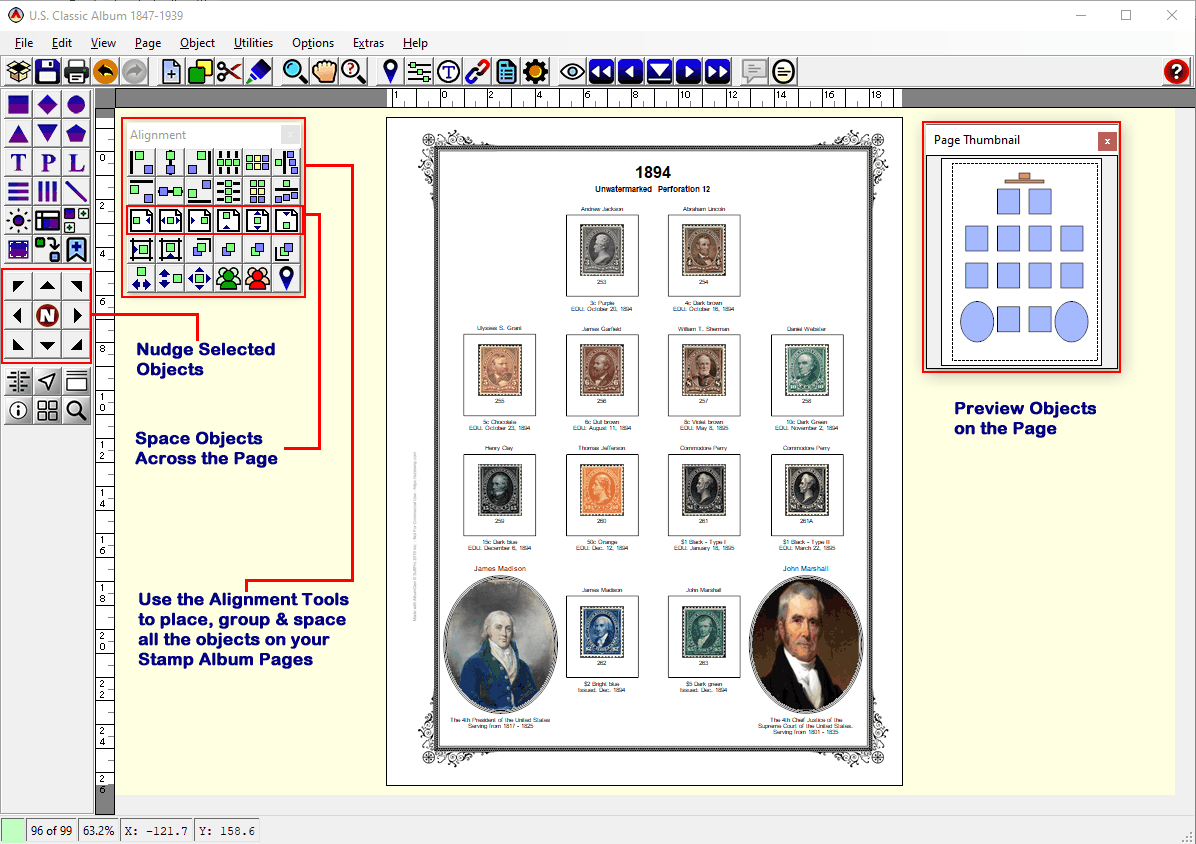
- Easily align anything on your page to other objects on the page. No guessing . With our snap to grid options and our micro nudge tools, aligning is easy. These are but a small sample of the alignment options available within AlbumGen™ . The main alignment tool shows the various ways of aligning objects!
Stamp Exhibit Software
- Easily add customized page borders & corner styles to your Album Pages to give your albums that personal look & feel. With our custom borders, your pages can look just like the ones you have now! These are a small sample of the line & object borders available within AlbumGen™ .
The main alignment tool shows the various ways of aligning objects! Our custom borders have been designed to allow you to create visually appealing albums for your stamps! We will add more in the future!
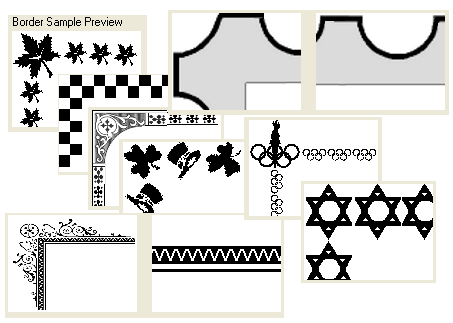
Stamp Album Software – Borders
- Re-organize & re-number your pages easily . Use the multi-page viewer to find your pages quickly .
- Search for any text , anywhere on any page & jump to that page
- Undo feature so that if you make a mistake, it’s easily reversed!
AlbumGen™ – the most powerful & versatile yet easy to use stamp album software & page layout program available!